
Perpustakaan UIN Jurai Siwo Lampung
Search Suggestions
Loading...
{{ item.text }}
Search History
{{ tmpObj[key].text }}
Call Number
658.151 1 Hor iAvailability
My Library
2/2Item Detail (2) - My Library
| Code | Call Number | Location | Status |
|---|---|---|---|
| 202311915 | 658.151 1 Hor i | My Library | |
| 202311916 | 658.151 1 Hor i | My Library |
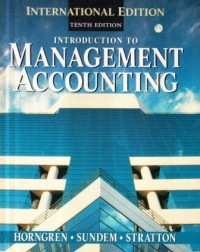
Introduction to management accounting
Description
Introduction to Management Accounting is the second member of a matched pair of books that provides full coverage of the essentials of financial and managerial accounting. The first book is Introduction to Financial Accounting. In combination, the pair can be used throughout two semesters or three quarters of introductory accounting.
This book is an introduction to internal accounting—most often called man-agement accounting. It deals with important topics that all students of manage-ment and business should study. The book is written primarily for students who have had one or two terms of basic accounting. It is also appropriate for con-tinuing educational programs of varying lengths in which the students have had no formal training in accounting. The four financial accounting chapters (Chapters 17-20) make it especially appropriate for short courses introducing managers to accounting because both financial and management accounting can be presented from a user's perspective using one textbook.
The twin objectives in this revision are to recognize current trends in man-agement accounting and to clearly present the basic concepts and techniques. Although basic concepts in management accounting have not changed dra-matically, the application of those concepts has been significantly influenced by a changing world-wide competitive environment and significant changes in the cost accounting systems used by world-class companies. The focus of the text remains the understanding of costs and cost behavior and the use of cost information for planning and control decisions, but both terminology and applied settings have been revised to reflect the changes in the real world of management accounting.
This book attempts a balanced, flexible approach. For example, it deals as much with nonprofit, retail, wholesale, selling, and administrative situations as it does with manufacturing. The fundamental accounting concepts and techniques for planning and control are applicable to all types and functions of organizations, not just to manufacturing. This more general approach makes it easier for the student to relate the book's examples and problems to his or her particular interests. Moreover, many valuable concepts (for exam¬ple, master budgets) are more easily grasped if they are not complicated by intricate manufacturing situations.
This book is an introduction to internal accounting—most often called man-agement accounting. It deals with important topics that all students of manage-ment and business should study. The book is written primarily for students who have had one or two terms of basic accounting. It is also appropriate for con-tinuing educational programs of varying lengths in which the students have had no formal training in accounting. The four financial accounting chapters (Chapters 17-20) make it especially appropriate for short courses introducing managers to accounting because both financial and management accounting can be presented from a user's perspective using one textbook.
The twin objectives in this revision are to recognize current trends in man-agement accounting and to clearly present the basic concepts and techniques. Although basic concepts in management accounting have not changed dra-matically, the application of those concepts has been significantly influenced by a changing world-wide competitive environment and significant changes in the cost accounting systems used by world-class companies. The focus of the text remains the understanding of costs and cost behavior and the use of cost information for planning and control decisions, but both terminology and applied settings have been revised to reflect the changes in the real world of management accounting.
This book attempts a balanced, flexible approach. For example, it deals as much with nonprofit, retail, wholesale, selling, and administrative situations as it does with manufacturing. The fundamental accounting concepts and techniques for planning and control are applicable to all types and functions of organizations, not just to manufacturing. This more general approach makes it easier for the student to relate the book's examples and problems to his or her particular interests. Moreover, many valuable concepts (for exam¬ple, master budgets) are more easily grasped if they are not complicated by intricate manufacturing situations.
Detail Information
- Publisher
- New Jersey : Prentice-Hall., 1996
- Collation
- xxii, 837 hal. : il. ; 28 cm.
- Language
- English
- ISBN/ISSN
- 0132136384
- Classification
- 658.151 1
- Subject(s)
Comments
You must be logged in to post a comment