
Perpustakaan UIN Jurai Siwo Lampung
Search Suggestions
Loading...
{{ item.text }}
Search History
{{ tmpObj[key].text }}
Call Number
347.01 Tep bAvailability
My Library
1/1Item Detail (1) - My Library
| Code | Call Number | Location | Status |
|---|---|---|---|
| 202315050 | 347.01 Tep b | My Library |
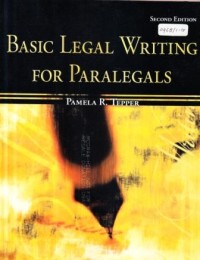
Basic legal writing for paralegals
Description
Learn the basics of clear, effective legal writing using a hands-on approach!
The applied, practical approach of Basic Legal Writing for Paralegals combines legal concepts and terminology with hands-on applications in legal drafting. It provides students with all the basic tools they need to commu¬nicate effectively in the legal field.
Topics are presented in a straightforward and comprehensive manner, while the learning features focus on three goals:
Learning Outcomes
1. Critical thinking
2. Vocabulary building
3. Skill development
4. Issues analysis
5. Writing practices
Relevance of Topics Without Sacrificing Theory
1. Ethical challenges
2. Current law practices
3. Technology application
Practical Application
1. Real-world exercises
2. Portfolio creation
3. Learn exercises
Building a solid foundation for a successful paralegal career is becoming more challenging as the needs of students and instructors continue to grow. The McGraw-Hill paralegal texts offer the solution to this ever-changing environment. Integrated real-world applications in each chapter teach students the practical skills needed for a thriving career in the field. A common vocabulary among all McGraw-Hill titles ensures consistency in learning. With a thorough set of ancillaries and dedicated publisher support, these texts will facilitate active learning in the classroom and give students the skills sets desired by employers.
The applied, practical approach of Basic Legal Writing for Paralegals combines legal concepts and terminology with hands-on applications in legal drafting. It provides students with all the basic tools they need to commu¬nicate effectively in the legal field.
Topics are presented in a straightforward and comprehensive manner, while the learning features focus on three goals:
Learning Outcomes
1. Critical thinking
2. Vocabulary building
3. Skill development
4. Issues analysis
5. Writing practices
Relevance of Topics Without Sacrificing Theory
1. Ethical challenges
2. Current law practices
3. Technology application
Practical Application
1. Real-world exercises
2. Portfolio creation
3. Learn exercises
Building a solid foundation for a successful paralegal career is becoming more challenging as the needs of students and instructors continue to grow. The McGraw-Hill paralegal texts offer the solution to this ever-changing environment. Integrated real-world applications in each chapter teach students the practical skills needed for a thriving career in the field. A common vocabulary among all McGraw-Hill titles ensures consistency in learning. With a thorough set of ancillaries and dedicated publisher support, these texts will facilitate active learning in the classroom and give students the skills sets desired by employers.
Detail Information
- Publisher
- New York : Mc Graw-Hill., 2008
- Collation
- xxii, 362 hal. : il. ; 28 cm.
- Language
- English
- ISBN/ISSN
- 9780073403038
- Classification
- 347.01
- Subject(s)
Comments
You must be logged in to post a comment