
Perpustakaan UIN Jurai Siwo Lampung
Search Suggestions
Loading...
{{ item.text }}
Search History
{{ tmpObj[key].text }}
請求記号
512.5 Nic l状況
My Library
3/3Item Detail (3) - My Library
| Code | 請求記号 | 場所 | Status |
|---|---|---|---|
| 202315157 | 512.5 Nic l | My Library | |
| 202315158 | 512.5 Nic l | My Library | |
| 202331157 | 512.5 Nic l | My Library |
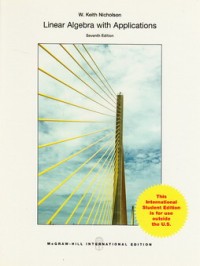
Linear algebra with applications
内容記述
This textbook is an introduction to the ideas and techniques of linear algebra for first- or second-year students with a working knowledge of high school algebra. The contents have enough flexibility to present a traditional introduction to the subject, or to allow for a more applied course. Chapters 1-4 contain a one-semester course for beginners whereas Chapters 5-9 contain a second semester course (see the Suggested Course Outlines below). The text is primarily about real linear algebra with complex numbers being mentioned when appropriate (reviewed in Appendix A). Overall, the aim of the text is to achieve a balance among computational skills, theory, and applications of linear algebra. Calculus is not a prerequisite; places where it is mentioned may be omitted.
As a rule, students of linear algebra learn by studying examples and solving problems. Accordingly, the book contains a variety of exercises (over 1200, many with multiple parts), ordered as to their difficulty. In addition, more than 375 solved examples are included in the text, many of which are computational in nature.
The examples are also used to motivate (and illustrate) concepts and theorems, carrying the student from concrete to abstract. While the treatment is rigorous, proofs are presented at a level appropriate to the student and may be omitted with no loss of continuity. As a result, the book can be used to give a course that emphasizes computation and examples, or to give a more theoretical treatment (some longer proofs are deferred to the end of the Section).
Linear Algebra has application to the natural sciences, engineering, management, and the social sciences as well as mathematics. Consequently, 18 optional "applications" sections are included in the text introducing topics as diverse as electrical networks, economic models, Markov chains, linear recurrences, systems of differential equations, and linear codes over finite fields. Additionally some applications (for example linear dynamical systems, and directed graphs) are introduced in context. The applications sections appear at the end of the relevant chapters to encourage students to browse.
As a rule, students of linear algebra learn by studying examples and solving problems. Accordingly, the book contains a variety of exercises (over 1200, many with multiple parts), ordered as to their difficulty. In addition, more than 375 solved examples are included in the text, many of which are computational in nature.
The examples are also used to motivate (and illustrate) concepts and theorems, carrying the student from concrete to abstract. While the treatment is rigorous, proofs are presented at a level appropriate to the student and may be omitted with no loss of continuity. As a result, the book can be used to give a course that emphasizes computation and examples, or to give a more theoretical treatment (some longer proofs are deferred to the end of the Section).
Linear Algebra has application to the natural sciences, engineering, management, and the social sciences as well as mathematics. Consequently, 18 optional "applications" sections are included in the text introducing topics as diverse as electrical networks, economic models, Markov chains, linear recurrences, systems of differential equations, and linear codes over finite fields. Additionally some applications (for example linear dynamical systems, and directed graphs) are introduced in context. The applications sections appear at the end of the relevant chapters to encourage students to browse.
Detail Information
- 公開者
- New York : Mc Graw-Hill., 2013
- 校合
- x, 592 hal. : il. ; 26 cm.
- 言語
- English
- ISBN/ISSN
- 9781259072994
- 分類
- 512.5
- キーワード
Comments
You must be logged in to post a comment