
Perpustakaan UIN Jurai Siwo Lampung
Search Suggestions
Loading...
{{ item.text }}
Search History
{{ tmpObj[key].text }}
請求記号
658.31 Noe e状況
My Library
2/2Item Detail (2) - My Library
| Code | 請求記号 | 場所 | Status |
|---|---|---|---|
| 202330016 | 658.31 Noe e | My Library | |
| 202330017 | 658.31 Noe e | My Library |
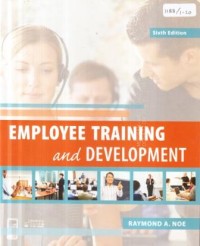
Employee training and development
内容記述
Training, development, and career management are no longer in the category of "nice to do"; they are now a "must do" for companies to gain competitive advantage and meet employee expectations. The sixth edition of Employee Training and Development will equip students with a solid background in the fundamentals of training and develop¬ment in order to meet the demands of today's global work environment.
Employee Training and Development, 6e retains the lively writing style, inspiring examples, balanced approach to research and theory, and emphasis on new technology and strategic training from previous editions.
NEW TO THE SIXTH EDITION:
New and expanded coverage of such topics as informal learning, business-embedded training functions, knowledge management, learning management systems, intan¬gible assets and human capital, implications of the multigenerational workforce for training and development, uses of social media in training, (including blogs, wikis, and social networks), program design and the important role of training partnerships with educational institutions, agencies, government unions, and non-profits.
New chapter vignettes begin each chapter. For example. Chapter 8 ("Technology-based Training Methods") highlights how Farmers Insurance is using a blended learning approach including a face-to-face instruction, online learning, social networks, and i-pads equipped with apps to deliver effective learning to its multigenerational and geographically dispended workforce.
Each chapter now includes a new or updated briefcase that illustrates a training, development, or learning issue faced by a company. The case questions ask students to consider the issue and make recommendations based on the chapter content.
Employee Training and Development, 6e retains the lively writing style, inspiring examples, balanced approach to research and theory, and emphasis on new technology and strategic training from previous editions.
NEW TO THE SIXTH EDITION:
New and expanded coverage of such topics as informal learning, business-embedded training functions, knowledge management, learning management systems, intan¬gible assets and human capital, implications of the multigenerational workforce for training and development, uses of social media in training, (including blogs, wikis, and social networks), program design and the important role of training partnerships with educational institutions, agencies, government unions, and non-profits.
New chapter vignettes begin each chapter. For example. Chapter 8 ("Technology-based Training Methods") highlights how Farmers Insurance is using a blended learning approach including a face-to-face instruction, online learning, social networks, and i-pads equipped with apps to deliver effective learning to its multigenerational and geographically dispended workforce.
Each chapter now includes a new or updated briefcase that illustrates a training, development, or learning issue faced by a company. The case questions ask students to consider the issue and make recommendations based on the chapter content.
Detail Information
- 公開者
- New York : Mc Graw-Hill., 2013
- 校合
- xviii, 524 hal. : il. ; 23 cm.
- 言語
- English
- ISBN/ISSN
- 9780078029219
- 分類
- 658.31
- キーワード
Comments
You must be logged in to post a comment