
Perpustakaan UIN Jurai Siwo Lampung
Search Suggestions
Loading...
{{ item.text }}
Search History
{{ tmpObj[key].text }}
Call Number
T 302.23 Mer s c.1Availability
My Library
1/1Item Detail (1) - My Library
| Code | Call Number | Location | Status |
|---|---|---|---|
| 202305034 | T 302.23 Mer s c.1 | My Library |
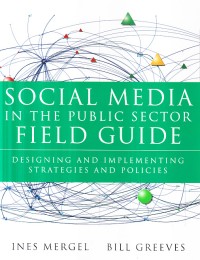
Social media in the public sector field guide
Description
Perhaps social media have not been with us long enough to be called univer¬sal just yet. But there is little question that they have had a profound impact on our culture, communication, and lifestyle. Governments can no longer scoff and dismiss them as a technology fad. Social media, with their varied faces and myriad uses, have woven themselves firmly into the fabric of our daily lives.
But how do government agencies find the "right" way to capitalize on the explosive growth of social media and put these tools to work on achieving gov¬ernment missions? And how can agencies make it happen despite the lighter wallets and heavier workloads they are all facing today? These are the types of questions that we have wrestled with ourselves.
Through her scholarly pursuits, Ines became captivated by the ways in which government has found unique applications of social media. By the time we began writing this book, she was already a recognized thought leader on the topic of social media in government and had crafted her courses at Syracuse University around the integration of technology into the process of civic discourse and citizen engagement. Meanwhile, Bill was on a path that led him to similar interests. As a government technology practitioner, he was passionate about the ever-increasing potential of social media as an entirely new platform from which to deliver gov¬ernment services and seek feedback from the varied audiences served by govern¬ment agencies.
Fate, or more accurately social media, brought us together during a series of captivating online conversations focused on the noticeable lack of social media guidance for government agencies. Early on, we recognized that we had a tre¬mendously passionate and creative group of peers both in higher education.
But how do government agencies find the "right" way to capitalize on the explosive growth of social media and put these tools to work on achieving gov¬ernment missions? And how can agencies make it happen despite the lighter wallets and heavier workloads they are all facing today? These are the types of questions that we have wrestled with ourselves.
Through her scholarly pursuits, Ines became captivated by the ways in which government has found unique applications of social media. By the time we began writing this book, she was already a recognized thought leader on the topic of social media in government and had crafted her courses at Syracuse University around the integration of technology into the process of civic discourse and citizen engagement. Meanwhile, Bill was on a path that led him to similar interests. As a government technology practitioner, he was passionate about the ever-increasing potential of social media as an entirely new platform from which to deliver gov¬ernment services and seek feedback from the varied audiences served by govern¬ment agencies.
Fate, or more accurately social media, brought us together during a series of captivating online conversations focused on the noticeable lack of social media guidance for government agencies. Early on, we recognized that we had a tre¬mendously passionate and creative group of peers both in higher education.
Detail Information
- Publisher
- San Francisco : Jossey-Bass., 2013
- Collation
- xxii, 202 hal. : il. 23 cm.
- Language
- English
- ISBN/ISSN
- 9781118109939
- Classification
- 302.23
- Subject(s)
Comments
You must be logged in to post a comment